
There are many virtuoso examples of using wood grain in artworks, ranging from the fabulous hybrid marquetry of artist Alison Elizabeth Taylor to the mind-blowing trompe l’oeil paintings of Alastair Gordon. With this in mind, I was excited to experiment with the beauteous wood grains available, to see how they would laser engrave.
With such a vast choice of woods, each more beguiling than the last, deciding on a few to test was hard! Ultimately, I went for American Black Walnut veneer, Ash veneer, Oak veneer and trusty old plywood offcuts. Having already etching a few of the drawings onto MDF it was possible to compare the surfaces.

What has been curious about the engraving process is that the stronger the woodgrain, the poorer the engraving result reads. Watching the engraving darken the grain is captivating, however it’s rather disastrous for the drawings.
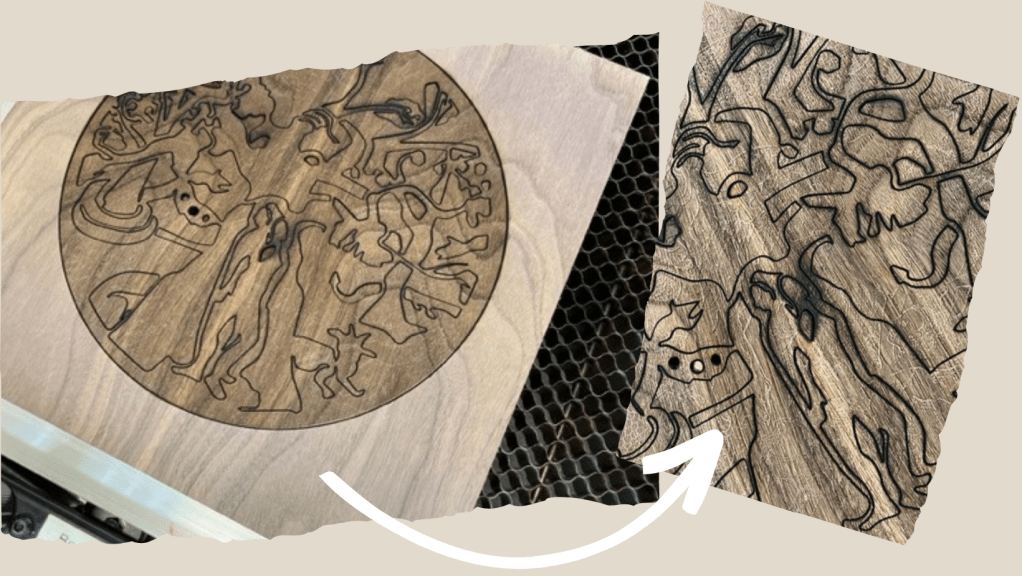
In the example above of American Black Walnut it’s easy to see how much the engraving has exaggerated the grain. The resulting drawing is near impossible to read (on the detail it’s the white lines).
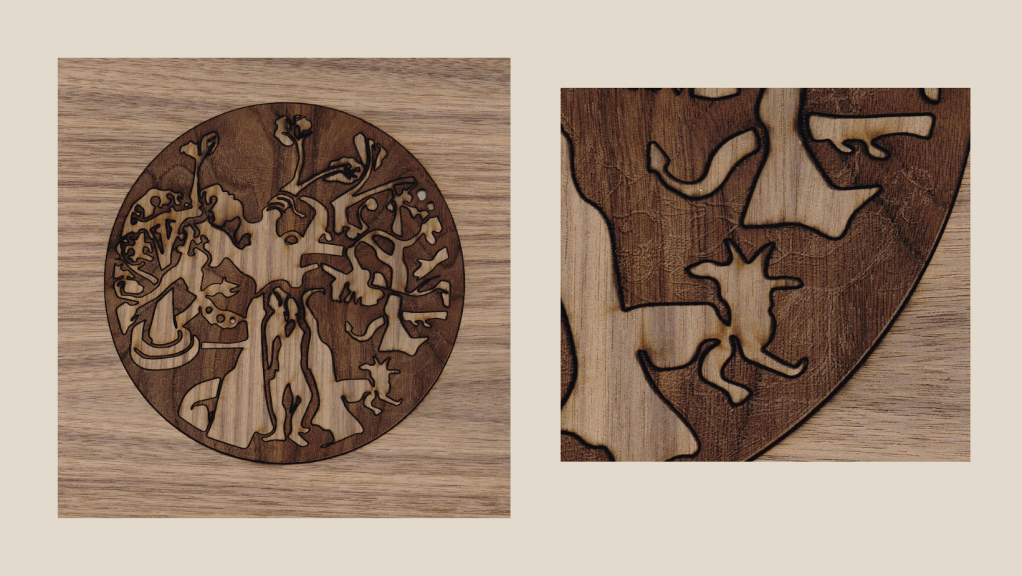
I re-cut the inner circle with the ‘New Creation’ design, before inlaying it into another piece of un-engraved American Black Walnut. Both pieces were washed off with regular detergent before drying and inlaying. After washing the carbon off and drying this amazing rusty tint came through the wood.
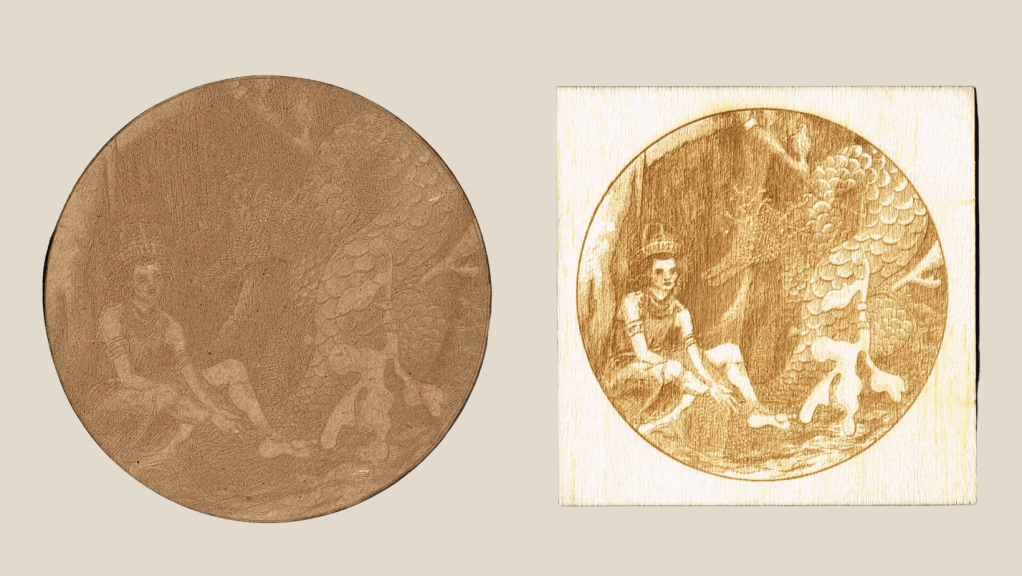
The Oak veneer was perfect to work with, the balance between grain and drawing harmonious. I engraved ‘Andromeda’ using the same settings (Power 20, Speed 150) on MDF and Oak Veneer. The level of detail on the Oak verses the MDF is extraordinary, the finer lines on the MDF have nearly completely burnt out. The grain on the Oak is very subtle and even the smallest lines have engraved without burnout.
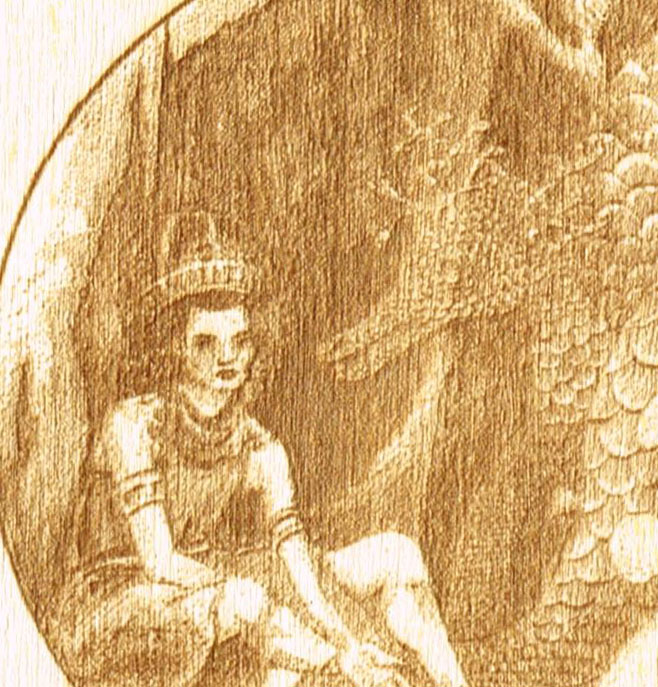
How did the Ash Veneer fare?
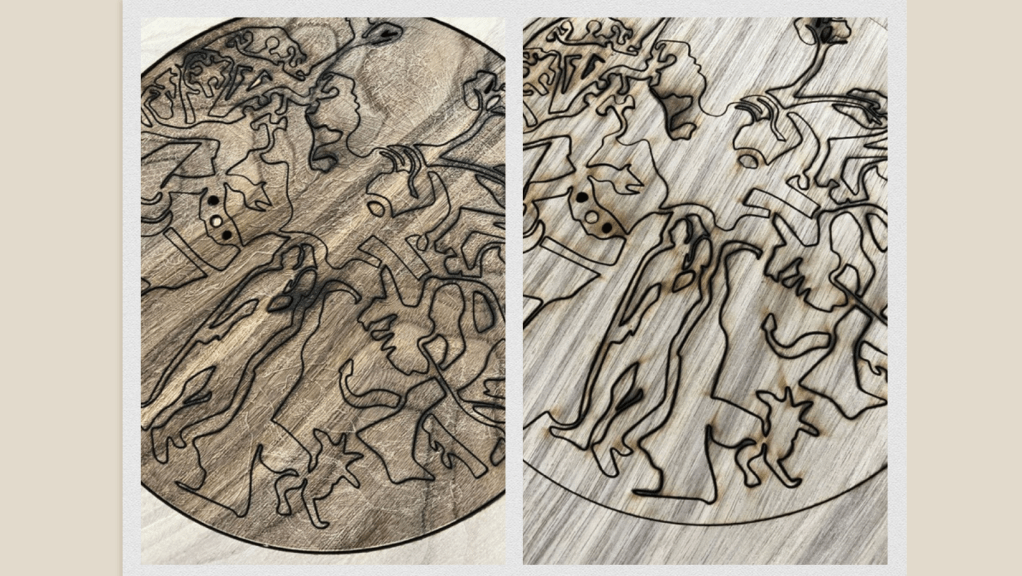
The Ash has a stronger grain than the Oak and it’s lighter than the American Black Walnut. As you can see, the grain is very strong once engraved. I’m certain there are ways to incorporate that effect into new works. Perhaps in a marquetry context.
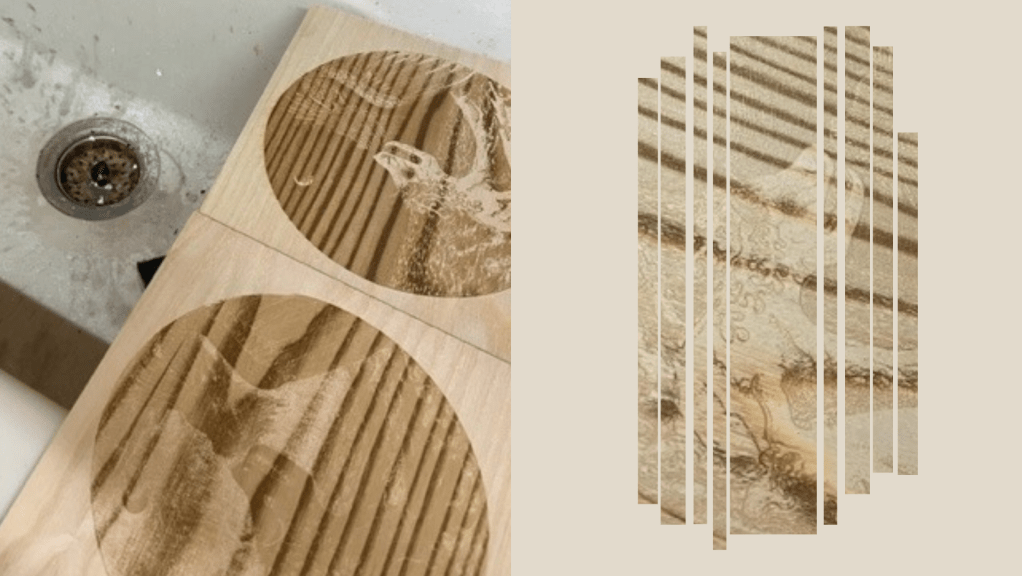
Using the invert function the grain is even stronger after engraving, rendering the drawing almost unreadable. The dark grains would be perfect as artworks in their own right on silhouetted images. The invert function is incredibly useful for checking the depth of engraving settings is accurate.
If you can’t fix it, make a feature of it! *
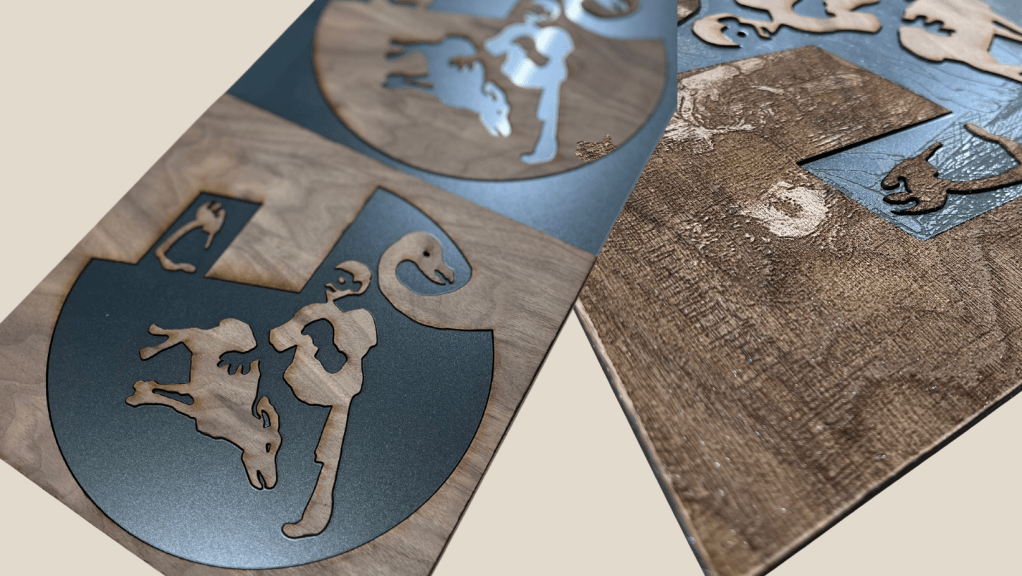
The dark, mysteriously hard to read nature of the woodgrain engravings appealed to me. I wanted to turn the ‘failure’ into a unique feature. Running the wood through the laser I then repeated the design onto metallic acrylic sheets. Both the wood and the acrylic sheets used are 3mm thick. Splicing the wood with reflective metallics makes the grain pop. After mocking them together with masking tape (on the base) I re-engraved the sheets as one to add additional texture and depth. The results are more intriguing than the engraved wood alone.
Key Learnings:
- the stronger the woodgrain the darker the engraving
- use invert to play around with the settings
- for more texture wash off and re-engrave
- test, test, test each new material first!
- the slower the speed the deeper the engraving
Going forward, now the Create Programme has now finished I’m back in the studio. They’ll be resin experiments, test runs with Jesmonite filling and more experimental methods coming soon! In the meantime, if you’ve got any tips to share on laser engraving, marquetry or you just want to say ‘Hi’ comment below, I love to hear from you!

“The Sum of It” by Alison Elizabeth Taylor catalogues an exhibition of her works using hybrid marquetry and painting techniques. Available via bookshop.org
REFERENCE LINKS
Beam Studio – FLUX | Bring Any Design to Life (flux3dp.com)
Tabula Rasa, 2022 | Alistair John Gordon
American Black Walnut, Oak and Ash Veneer purchased from Kitronik Ltd
* “Can’t Fix it? Feature it!” widely attributed to Father Gregory Boyle (b. 1954), other variations were widely used, source unknown. If you have any information on the origins of this phrase please let me know.
CHARLIE KIRKHAM NEWSLETTER
Sign up for free and be the first to get notified about updates.




 Charlie Kirkham
Leave a comment