
You never know when you’ll make your next new connection. In this blog post we’ll cover why it’s important to quickly share work, plus three easy options to make the process of sharing seamless. This will help you to make smoother professional connections.
Why can’t I take my time?
Whether you’re at a networking event, the bus stop or a gallery opening attention spans at a first meeting are short. There may be a lot of people to talk to, meaning you’ll only have five minutes per connection. The person you’ve just met might be asking to see your artwork out of genuine curiosity or simple politeness. Either way be conscious of other people’s time. You need to share your artwork (and contact details) elegantly and efficiently.
Don’t be the person who takes ten minutes to scroll through 500 photos to find a half finished blurry picture of their artwork. No-one needs to see everything on your camera roll the first time you meet! No-one.
How to wow your new connection before they get bored?
Printed Postcards / Business Cards
Have a double sided postcard (or business card) with one hero image on the front plus a few smaller images and your contact details on the back. Make it appealing for the recipient. In an age where everyone is sharing digital images a physical item can really stand out.
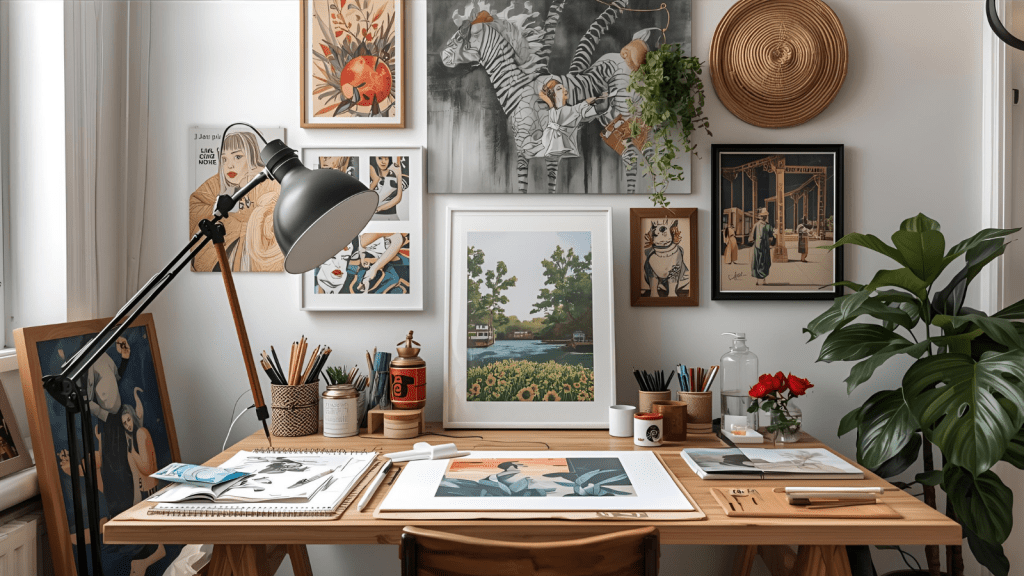
If you give your new connection something to hold, gaze at and take home you’ve also created a talking point. When I receive a postcard from another artist it goes up on my workspace wall, when I see it I look up how they’re doing and reach out when I see an opportunity that would interest them. There are cards that have been up on my wall for years and I still love to look at them.
Upside:
- You can share the postcard without breaking the conversation or eye contact
- Your new connection can contact you easily
- They can keep the postcard for years to come
- Business cards easily fit in a wallet
Downside:
- You need to get the postcards designed and printed
- You have to remember to take them out and about with you
- The postcards must be pristine, otherwise it totally undermines what you’re trying to do!
- postcards can be bulky
Smart Phone / Tablet
Let’s face it you’ve probably got your smartphone on you whenever you’re out the house, with the tablet in runner up position. It’s much easier to share your artwork if it’s always on you.

Phone Photos: have an album ready
This is the easiest, free method to avoid the doom scrolling photo scenario. In the reference links there are guidelines for how to do this on both iOS and Android.
- create an art album on your phone (or tablet), add your best photographs and a couple of process shots (limit work in progress shows to 2 per artwork)
- make it easy to access in a few clicks
- limit it to an absolute maximum of 5 artworks, if they ask to see more share portfolio or social media details.
Upside:
- You don’t need a WiFi connection
- It’s free
- You have the photos on your phone ready to add to the album
- You can delete and update the work as needed
Downside:
- You need to keep it up to date and curate which photos go in
- You need to break eye contact and conversation to get the phone out and share the images with your new connection
- You need to convey your contact details separately

Use an app on your tablet
This is a nice extra. It works best if you have a larger collection of works that you want to subset, exhibition shots or catalogue PDFs. If you’re starting out stick with the album option above.
There are a tonne of different photo apps out there, so check out the options for your device and budget. F-Stop Media Gallery works for Android photo organization, personally I use PrivateViews from ArtLogic.
Upsides:
- You can share larger images which is great for more detailed work
- You can use Adobe Reader for PDF files which contain your contact information as well as images
- You can show exhibition catalogues instead of single images
- Great for art world events where you want to go deeper into works
- If they’re really into it you can email it straight over
Downsides:
- The Price, most apps are paid for
- The size, the more background there is around an artwork image the harder it is to see, even on a tablet
- Time to load, this is especially true if the file is stored on the cloud and you need to be connected to WiFi
- It makes it easy to overshare (apply the 5 image limit here when sharing with new connections)

Use an offline website on your tablet
WiFi connections and signal can be unpredictable. If you’ve already got a beautiful portfolio website make it work that bit harder by saving an offline version to your tablet. You will need to look this up and decide whether to save as a complete website or separate PDF page files.
Upside:
- it familiarises the new person with your branding
- great for sharing video content without the slow load times
- you know how to navigate it
- you website advertises your name and contact details clearly
Downside:
- To do this properly you have to spend some time downloading, saving and finding the files
- it’s only as good as the design of the website
- it’s easy to overshare (again stick to five images rule)

The key take away is that the aim is to make a new connection. It isn’t an art presentation. Sharing five artworks gives the person context without overloading them. Ask about their interests so you have a good understand of what they do. Always offer your contact details and follow up promptly if they contact you.
Thank you for reading. We’ve covered why it’s important to share your artwork and contact details quickly and elegantly. You’ve got a few different options in the toolbox to share your artwork with new connections. Let me know how you get on and which methods work best for you.
REFERENCE LINKS
Use albums in Photos on iPhone – Apple Support (UK)
Create & edit photo albums – Android – Google Photos Help
F-Stop Media Gallery – Search, tag and rate your way to an organized image gallery (fstopapp.com)
An introduction to PrivateViews (links and iOS app) – Artlogic Support
CHARLIE KIRKHAM NEWSLETTER
Sign up for free and be the first to get notified about updates.


 Charlie Kirkham
Leave a comment