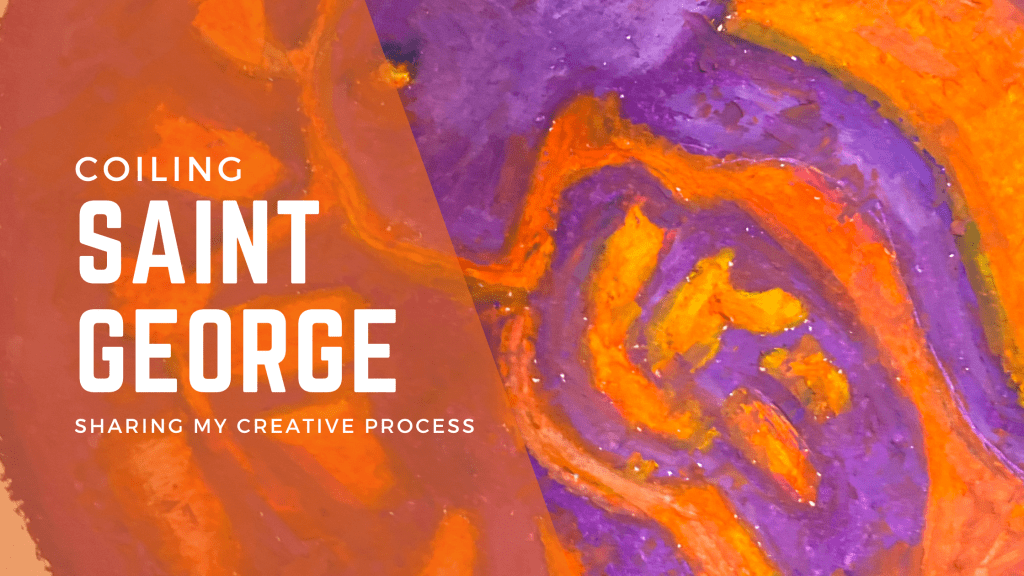
In the two years I’ve hibernated in the art studio bringing my George and The Dragon series into life, there have been many iterations of the works. It’s been a process of learning new skills, questioning my internal motivations and most of all, attempting to visually express ideas that resonate with others.
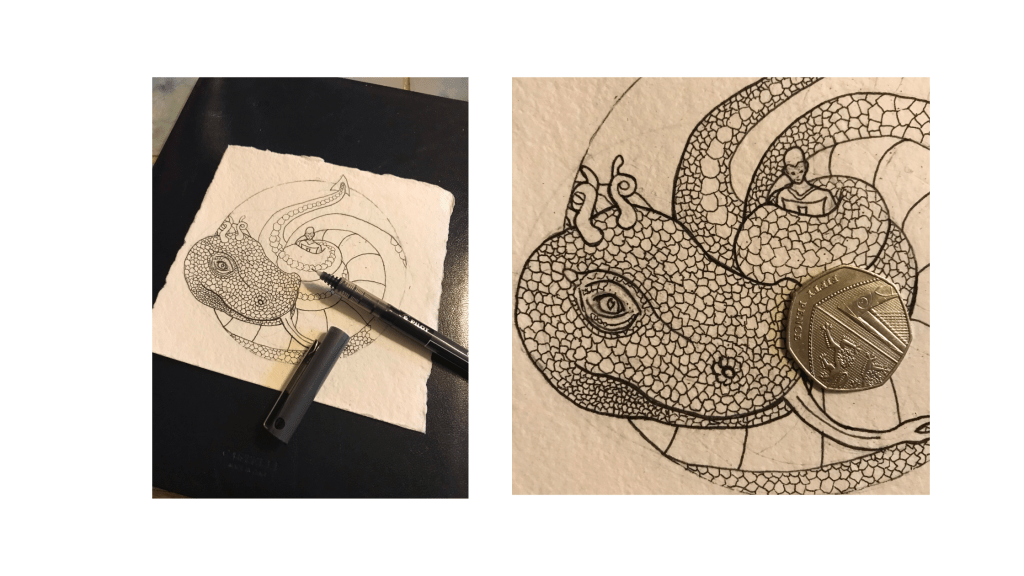
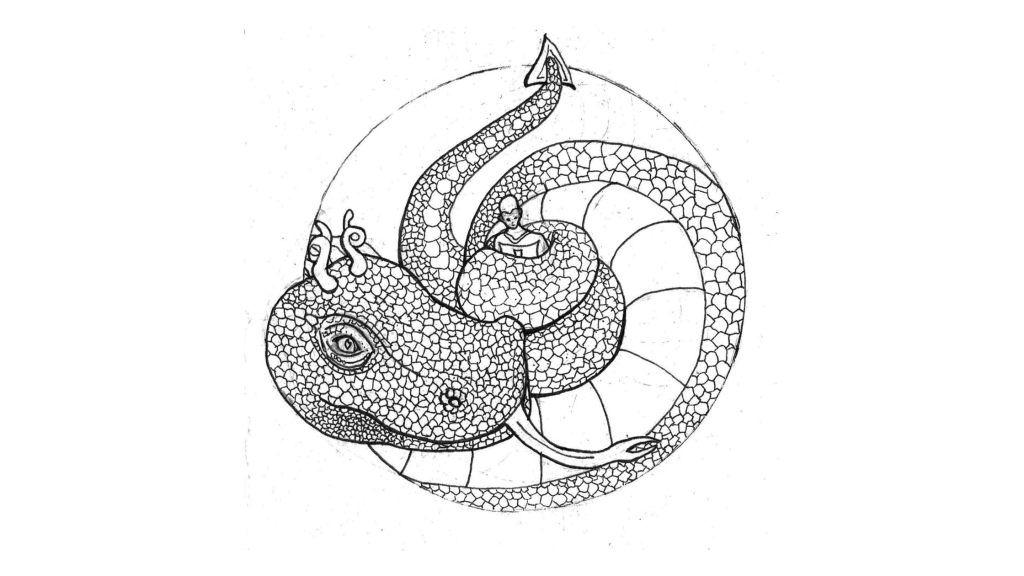
In previous posts about my creative process, I’ve explained how all my drawings start out as messy pencil sketches. This one was no different. The drawing is a tiny 15 cm square and was completed entirely at Euston Train station while waiting for train (it eventually came!).
Unreliable UK trains are just one great reason to always carry a sketchbook, check this post for more reasons to carry a sketchpad everywhere.
What inspired the design?
You know how the story ends, George is the triumphant hero, Dragon the slain beast. Many of the traditional images focus on this epic fight scene, so, in this alternate reading I pondered if there were moments when the scales might have tipped. What if my basilisk style dragon coiled up our hero like a serpent? How would the escape manifest then?
The image of a man coiled inside a giant serpent dragon stuck with me. So, as I drank my coffee and awaited my train, this sprang into life.
How did the drawing progress into other media?
Hands up if you’re a fellow materials addict. So, I LOVE working with new materials and exploring their textures and limitations. It’s a particular kind of procrastination I suffer with.
You can read my post about how I learnt to laser cut here
Moving a design from one medium into another is a challenge in itself, for me, it’s part of a refinement process. In my art practice there’s a lot of taking the long scenic route to end up back where I started out.
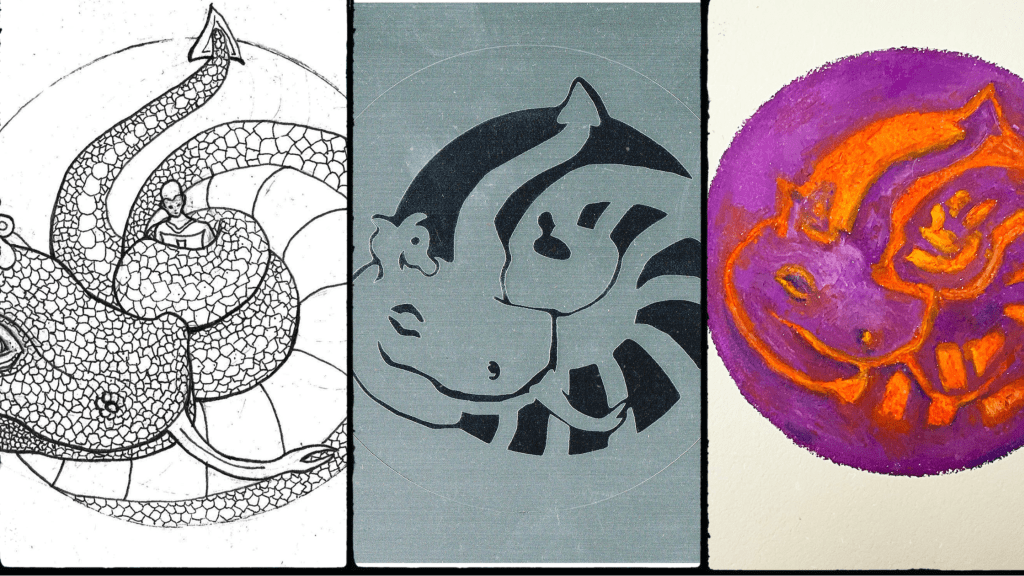
Ink Drawing: I started the ink drawing with a pencil sketch then erased and inked it, adding in more details. Working with black inks on off white paper is such a simple way of creating. For me, it frees my mind to focus on the themes instead of getting tied in knots by the techniques of making.
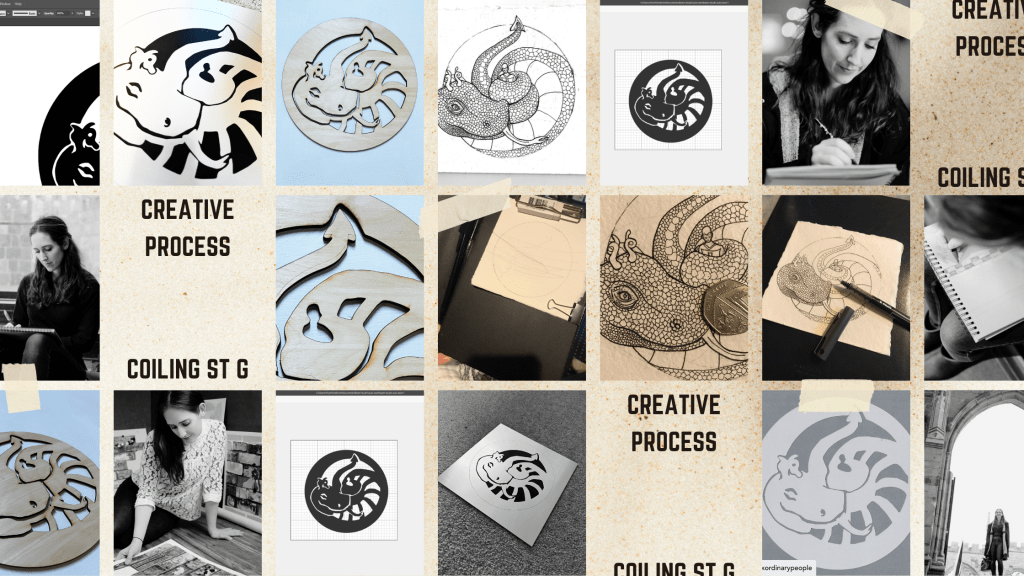
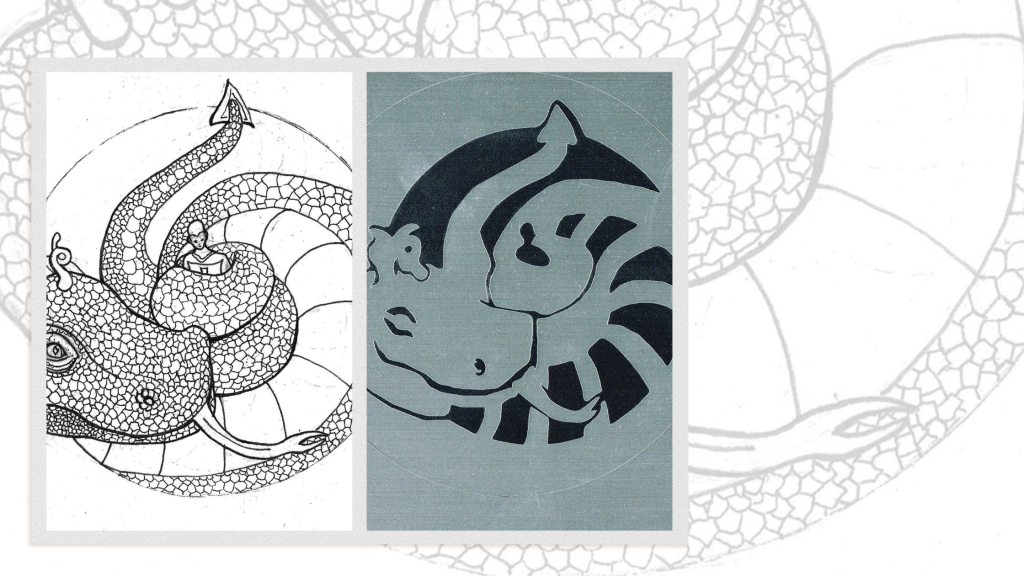
Papercut: I love simplifying images down until they become almost totally abstracted. Working with papercutting using a digital template (SVG file) means that the drawing goes through several processes. Firstly, the scan is sent into ProCreate where I use a tablet to draw out the simplified version. Then, I send it to Illustrator to tidy it up and convert it to vector format. From the vector I create the cutting file in SVG format. This becomes the template for the cut.
I use a Brother Scan N Cut machine (usually used for fabrics) for smaller papercuts and then hand finish them. This has been a gamechanger for me since my hands can no longer cut with the precision needed for intricate works.

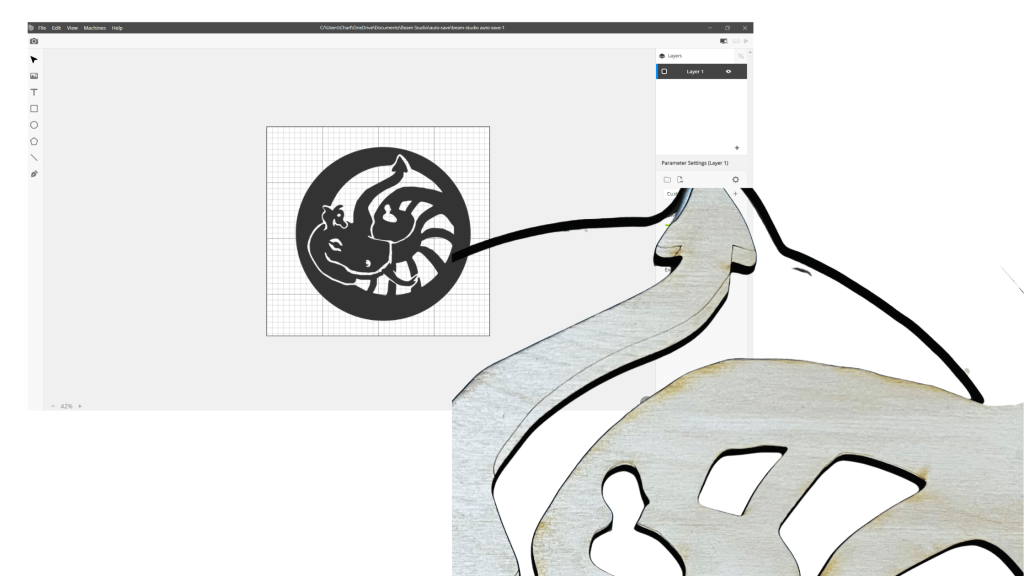
The SVG file that creates the paper templates also works in Beam Studio the software I rely on for laser cutting.

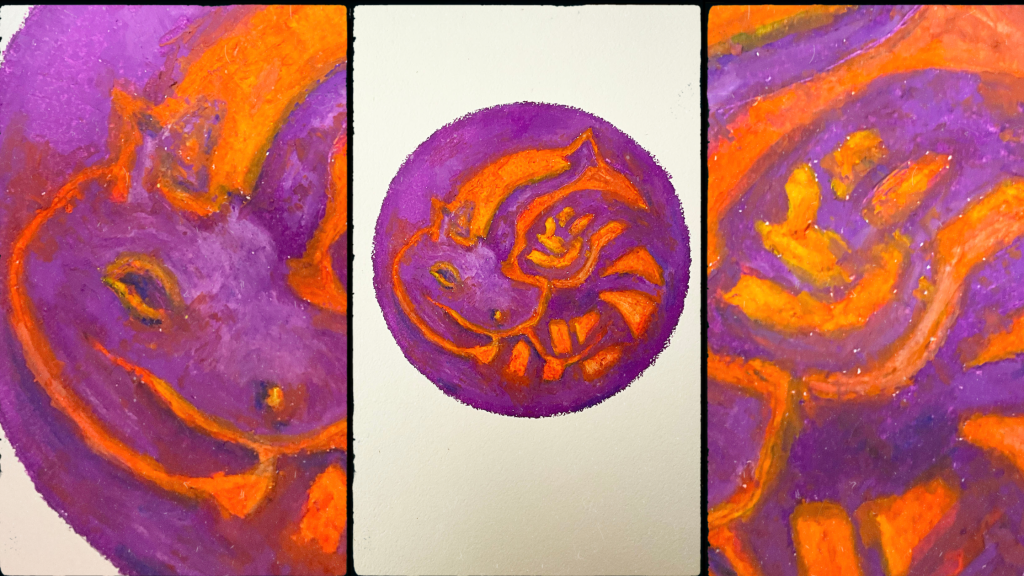
Oil Pastel: after a lot of digital work my hands start to feel empty. To fix this I decided to dig out my oil pastels, possibly the messiest medium out there! Working with messy sticks of colour is a very visceral experience. To add to the sense of introspective creativity I drew this at sunset, enjoying the changing light as the last rays of sun gave way to night.
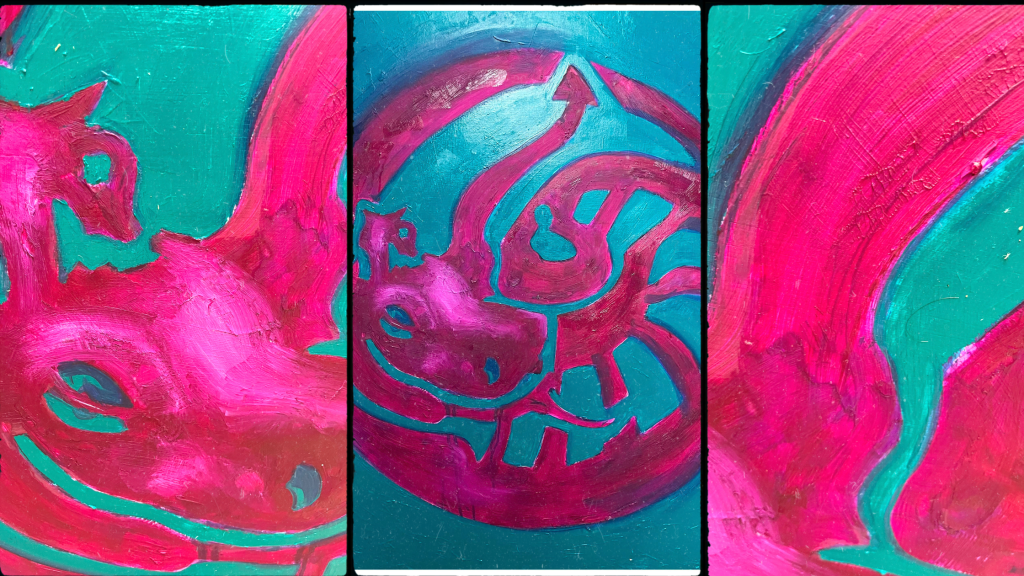
Oil Paint: the final stage! Getting from drawing to painting taking the circuitous route. When I began finishing up with an oil painting was no where on my agenda. Yet, as I delved deeper into different media it seemed like the best way to tell the story was through bold, colourful paintings. The finished painting is currently out for photography but here’s a progress shot of the gloopy, teal and magenta colour combo I worked in.
Final thoughts: I hope you’ve enjoyed learning more about the process of creating these images. Each version has further honed in on the ideas I’m seeking to express. The relationship between the physical and the mental as represented by the Dragon and George, the constant imbalance between the two selves. It’s great to hear your thoughts, let me know which version resonates most with you and why.
REFERENCE LINKS
Procreate® – Sketch, Paint, Create.
Beam Studio – FLUX | Bring Any Design to Life (flux3dp.com)
CHARLIE KIRKHAM NEWSLETTER
Sign up for free and be the first to get notified about updates.
 Charlie Kirkham
Leave a comment